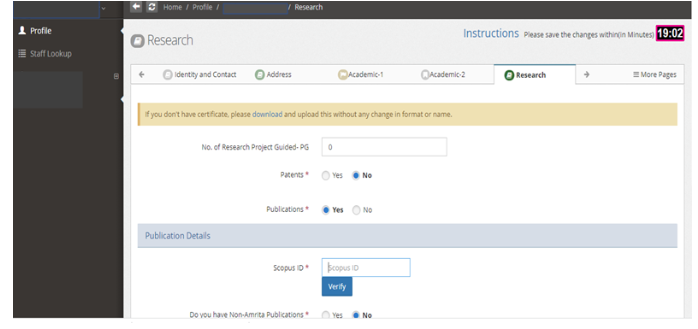
How to update Scopus ID in the HRMS Portal?
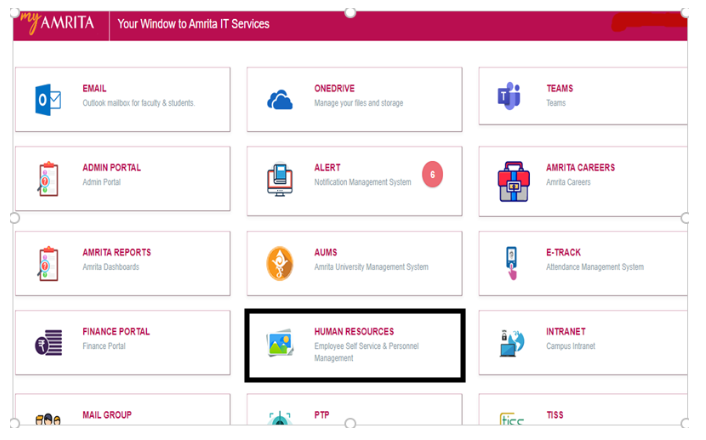
Log in to My Amrita Portal using your username and password.
Open the HRMS Portal, by clicking the tab “HUMAN RESOURCES”.
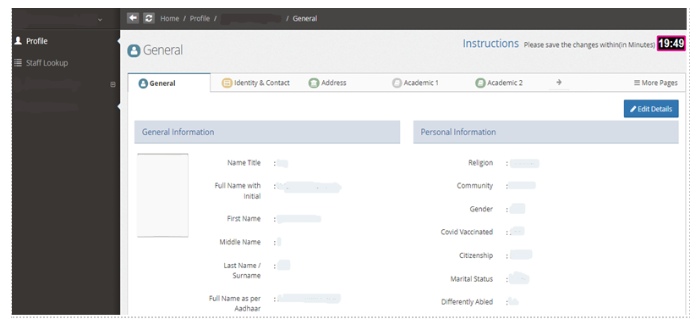
You will be directed to the profile page in HRMS.
Click on
 the tab, on the right corner of the profile page.
Click on the “Research” tab.
Select “Yes” for the “Publications” field.
This will enable you to enter your Scopus ID.
Click
 on to update your Scopus ID
The system will verify your Scopus ID automatically.